Sometimes you may think your monitor turns off too fast or stays on for too long while your system idles. Here is how you can increase or decrease the time period defining how long your display will stay on and how soon it goes to sleep in Windows 10.
Windows 10
Windows 10 is the latest version of Microsoft OS for consumer use by far. It was released in the summer of 2015 but is continuously being updated. Every Windows 10 update brings a lot of changes.
In Windows 10 Microsoft introduced the modern Settings app that should replace the deprecated Control panel but despite the fact that 5 years have passed, Microsoft is still in the process of migrating settings from Control panel to the Settings interface. It is indeed very complicated and confusing to use both a deprecated and modern interfaces for configuring your PC. So many of users have problems with it. Every next update brings a piece of improvements that makes a lot of our guides useless. So, it is these changes that are the reason for writing all kinds of new instructions and constant updating of existing ones.
Many people hate Windows 10 for its problems and glitches and wish they could switch back to the old good and stable Windows 7. But unfortunately, you can’t buy a new PC without have to deal with the 10th version of Microsoft OS, because in most cases it is the only supported operating system for the newest hardware.
Increase The Maximum Volume On Windows 10 If The Sound Is Quiet At 100%
Some movies and songs are really quiet. And if you are trying to watch such video on a laptops without external acoustic system you won’t be satisfied with the output volume. Besides that many laptops have very weak embedded speakers. Here are a few methods to boost the sound volume in Windows in general (including volume in browsers) and how to boost the gain of a movie or mp3 in players without editing audio/video files.
Fix Clicking and Popping Sound Issue in Windows 10
We encountered a clicking sound issue on Windows 10 x64 right after reinstalling operating system with Creators Update. In our case the solution was very simple but it can be much more difficult to troubleshoot the issue in other cases. Here is about all possible solutions to fix clicking, popping or stuttering sound in Windows 10.
Night Light in Windows 10. How to Customize Its Settings And Make It Stay Active Permanently
Night Light is a nice feature designed to lessen the eye strain by changing the color temperature while you are working in a dark room. It arrived with Creators Update in April 2017 and is available out-of-the-box. Here is how to turn on or disable Night Light and customize its settings in Windows 10.
Definition Update For Windows Defender KB2267602 Error 0x80070643. How to Fix
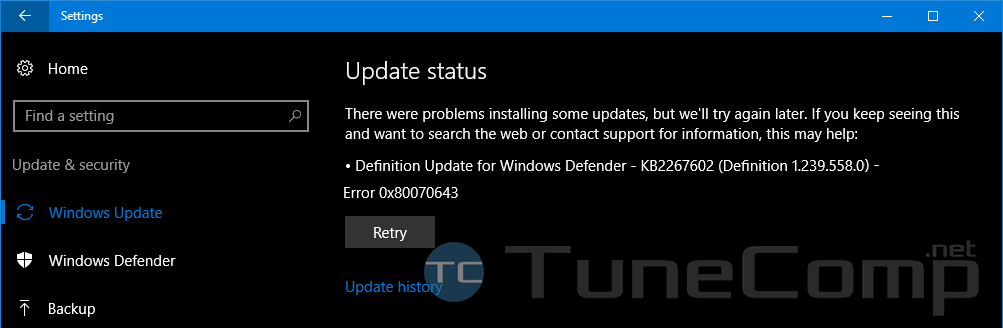
Today we will tell you about our recent experience in fixing the error with updates in Windows 10. As the user told, right before the error emerged he ran the disk cleanup for his system disk. He marked all elements for removal and clicked OK.
When the disk cleanup was finished he decided to search for updates and saw Definition Update for Windows Defender – KB2267602 (Definition 1.237.316.0) – Error 0x80070643 (Retry)
How to Set Up a Mobile Hotspot And Share the Internet Connection in Windows 10
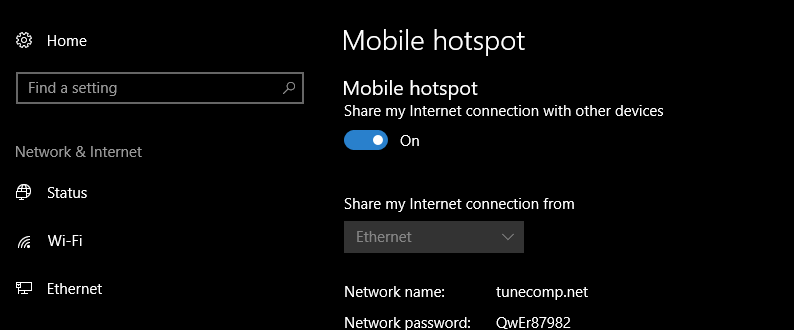
With Creators Update sharing the Internet connection became even more easy in Windows 10. Now you can quickly set up sharing of your wired or wireless connection and instantly turn it on or off when you want to. I mean you don’t have to use command line anymore because AP settings came to Windows 10 GUI. The Mobile Hotspot (software Access Point) feature appeared in Action Center. Here is the step-by-step guide on how to set up the Internet sharing.