It is very important to have the system restore feature enabled in Windows 10. If it is disabled you will be unable to roll back your operating system to the previous state in the case of virus infection or a glitch. In this case the only way to get your PC to a working condition would be to perform a reset or even a re-installation from a scratch that takes much more time and does not save all your apps and settings. Here are the steps to enable the system restore in Windows 10. After you do this the restore points will be created automatically.
Windows 10
Windows 10 is the latest version of Microsoft OS for consumer use by far. It was released in the summer of 2015 but is continuously being updated. Every Windows 10 update brings a lot of changes.
In Windows 10 Microsoft introduced the modern Settings app that should replace the deprecated Control panel but despite the fact that 5 years have passed, Microsoft is still in the process of migrating settings from Control panel to the Settings interface. It is indeed very complicated and confusing to use both a deprecated and modern interfaces for configuring your PC. So many of users have problems with it. Every next update brings a piece of improvements that makes a lot of our guides useless. So, it is these changes that are the reason for writing all kinds of new instructions and constant updating of existing ones.
Many people hate Windows 10 for its problems and glitches and wish they could switch back to the old good and stable Windows 7. But unfortunately, you can’t buy a new PC without have to deal with the 10th version of Microsoft OS, because in most cases it is the only supported operating system for the newest hardware.
3 Ways to Delete the Windows.old Folder in Windows 10
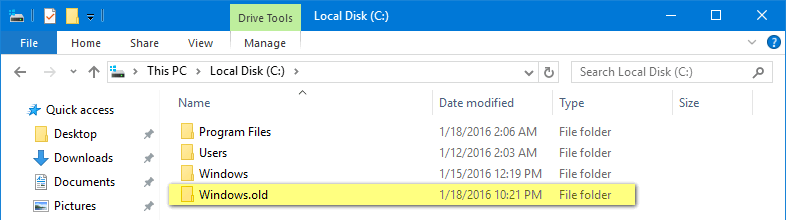
What kind of folder is it and why delete it?
Windows.old stores the information about the previous installation of your OS. For example if you have upgraded to Windows 10 you can roll back and use your previous OS. After you delete this folder you will be unable to revert.
As far as this folder contains the previous operating system data it takes a lot of space on your disk – 30 or 40 GigaBytes or even more depending on how many software you had on your old Windows. If you are sure you like your current OS and won’t need to revert to the previous version you may want to remove Windows.old to free up some space on your SSD or HDD.
If you don’t experience any problems with the free space on your disk you don’t need to remove the folder – Windows 10 will erase it by itself one month after you upgraded to the new version.
How to rename the user profile folder in Windows 10 (C:\Users\Username)
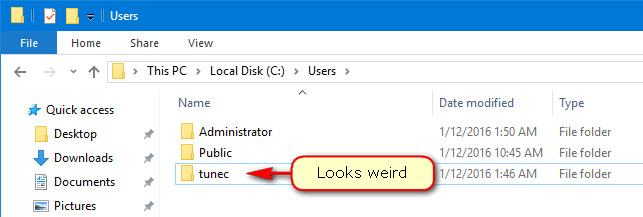
Folks on Internet often ask how to rename the profile folder in C:\Users. If you are using thge Microsoft account the folder name is usually shortened in a random way and very often looks weird. For instance for the user Tunecomp.net we have the path C:\Users\Tunec\. So let’s see how to change the name of this folder in Windows 10 Pro and Home.
You’ve been signed in with a temporary profile. How to fix the problem

Today we will talk about how to solve the following error:
You've been signed in with a temporary profile. You can't access your files, and files created in this profile will be deleted when you sign out. To fix this, sign out and try signing in later. Please see the event log for more details or contact your system administrator.
How to remove Microsoft account from Windows 10
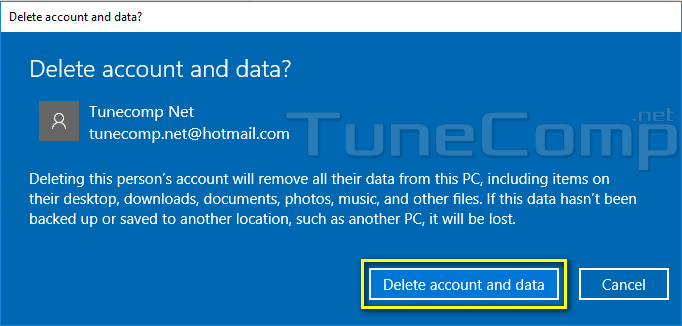
For various reasons you may want to remove Microsoft account after you used it on your PC. We offer a guide on how to do it correctly. The issue is you won’t be able to delete the Microsoft account until it is the only user on the current computer.
How to create a local user account in Windows 10
There is a number of benefits of using Microsoft Account. Personally I like the wallpaper sync most of all 🙂 But in some cases you may want to create a local user account in Windows 10. And it is very easy. Read our step-by-step guide below.