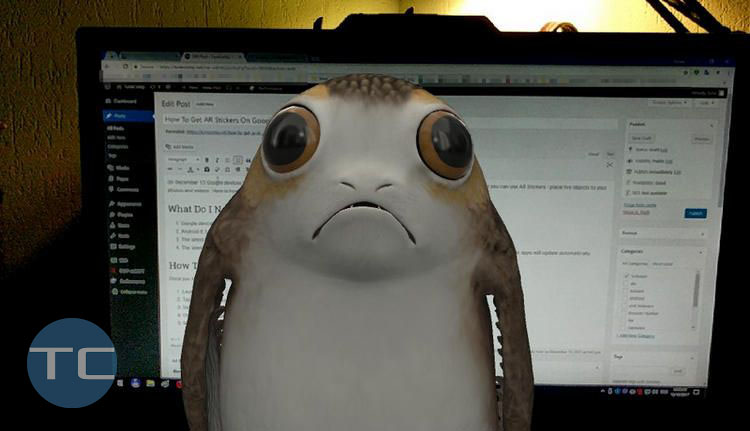
On December 13 Google Pixel and Pixel 2 received an update that brought the Google AR Stickers feature (Augmented Reality) to devices. Now you can insert 3D virtual characters to your photos and videos so they will look as if they are really located in your room or walk around together with your friends or children. Here is how to enable and use AR Stickers on Google Pixel series.
Android
Guides, tips and tricks, related to Google’s mobile OS – Android. Here we list articles about configuring features, customizing apps and solving problems that are common for all Android devices, regardless of skin (UI, software overlay) or manufacturer.
Google Photos Uses Too Much Cellular Data On Android And iOS
Google Photos Wastes Too Much Cellular Data
Google Photos is an extremely popular app designed to store, view, manage and backup your precious moments of life in image and video formats. Personally I use it on my both devices: Pixel and iPhone.
But, as you might know, images and especially videos consume a lot of storage when backed up and use a decent amount of cellular data when you view it (and even browse through the thumbnails).
My Photos Won’t Upload To Google Photos For A Long Time
The question
I have to wait for a long time until my photos upload to Google Photos even when I’m connected to my router’s Wi-Fi network. I log in to https://photos.google.com/ on my laptop, press F5 but I can’t see new images in the roll. Yesterday it took them about an hour or so to start backing up after I came home with my phone. What’s wrong? Thank you.
How to Set Up a Wi-Fi Hotspot on Android 11, 10, 9, 8, 7
Wi-Fi Hotspot is a marvelous feature that allows you to use your Android phone or tablet as a router. Thus, you can share your mobile Internet connection via Wi-Fi with other devices: tablets, laptops, another phones, desktops, anything else that has built-in or external 802.11a/b/g/n compatible wireless module (or a Bluetooth capability as a backup variant).
Thus, you can connect several client devices to your hotspot and consequently to the Internet at the same time. Of course, they will share your bandwidth and the Internet speed will decrease proportionally. In Wi-Fi Hotspot mode your mobile data functions as the WAN port of a router and your Wi-Fi interface – as LAN ports. Here is our guide on how to set up a Wi-Fi hotspot on Android 8 and 7 and use your Android phone as a router.
How to Add Another Input Language on Android or Remove Keyboard Language
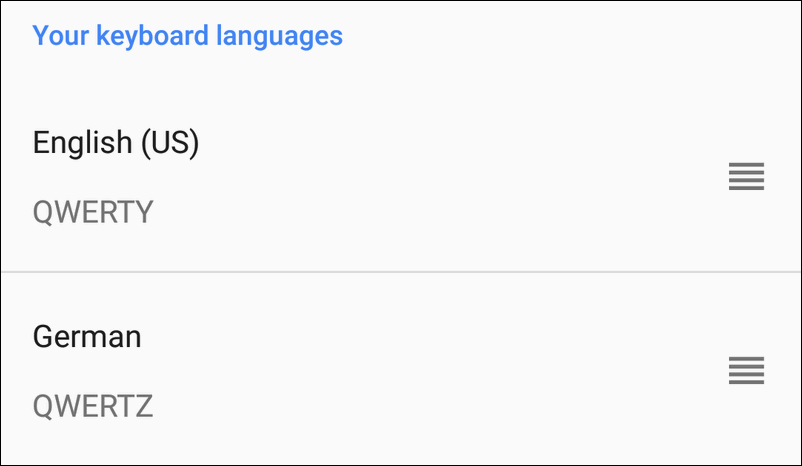
When you initialize your phone during the first startup you select the system language (locale for UI). Android 8 and 7 automatically set it as your input language as well. For English-speaking countries it is usually enough to use default settings and have the single input language. But you might also need to have several input methods.
For instance, you might want to communicate with your friends using German while you prefer using English for your work. Here is how to turn off the default settings and manually add another input language (or even several) to your current keyboard on Android 9, 8 and 7. The guide works for Android 6 Marshmallow as well.
Turn On Wi-Fi Automatically Near Your Wi-Fi Network In Android 8 Oreo

Android 8.0.0 Oreo has a feature that allows to automatically turn on Wi-Fi when you are in the area where your saved wireless network has a strong signal. It may be quite useful because your phone can turn on Wi-Fi by itself when it detects your home or office network so that you will never waste your mobile traffic in vain. The feature is enabled by default. Here is how you can enable or disable it when you wish.