By default you need to touch the red icon to end a call on Google Pixel (or Pixel XL): 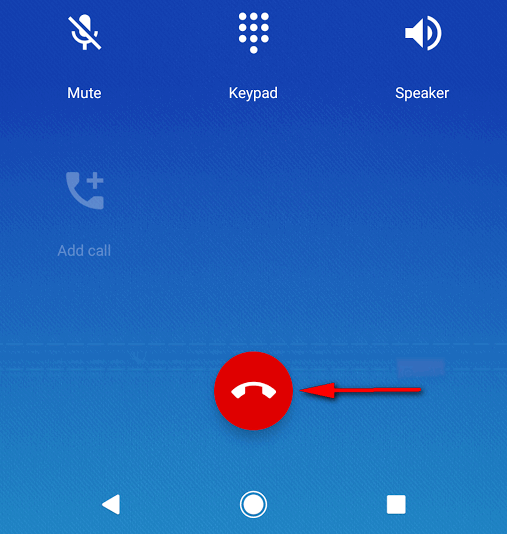 But you can configure your phone to hang up when you press a Power Button. Here is how.
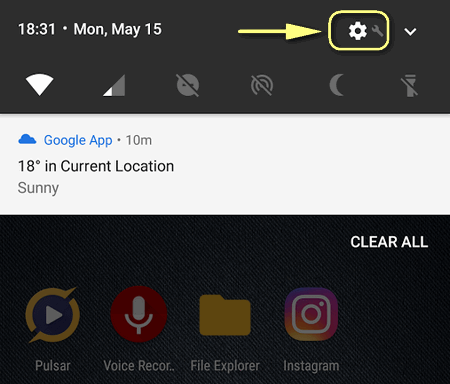
- Go to Settings:

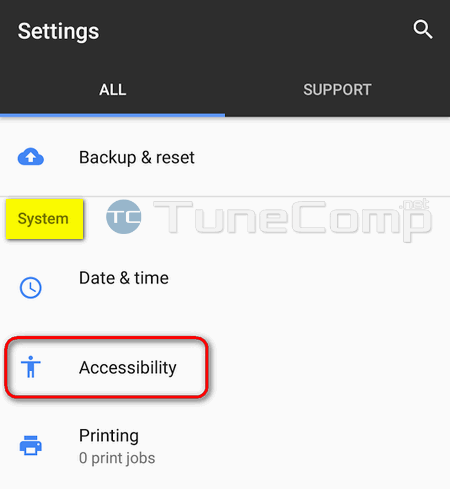
- Scroll down to the System section.
- Tap on Accessibility:

- Activate the option Power button ends call:

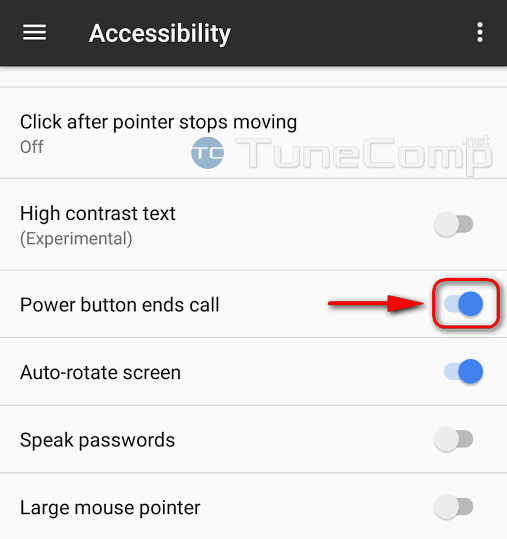
That’s it! Now you can press the Power button to end a call. If you disable the option the Power button will just wake or turn off the screen.