October 2018 update, as every update of such kind, brings some new features to Windows 10 – the constantly developing operating system. It started to roll out on the 3rd of October 2018. Users report that the upgrade process goes quickly and in most cases flawlessly so you can even not notice the installation. Here is how you can check whether or not your Windows 10 already got the October 2018 Update.
Follow the steps:
Step 1. Press Win+R.
Step 2. Type winver
Step 3. Hit Enter: 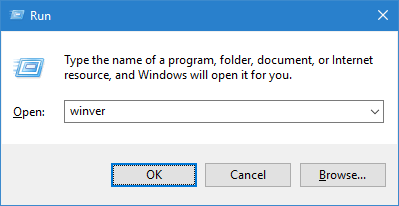 If October 2018 update is already installed you should see the following information: Version 1809 (OS Build 17763):
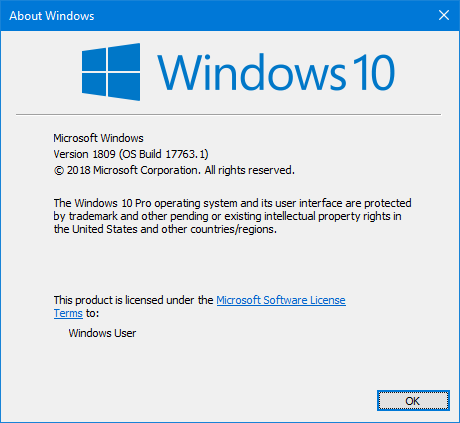
That’s the simplest method.