Here is how to perform a factory reset on Google Pixel under Android 8 Oreo. The steps differ from the earlier tutorials because of changes in Android 8.0.
From Settings
Follow the steps to revert your Pixel device to defaults:
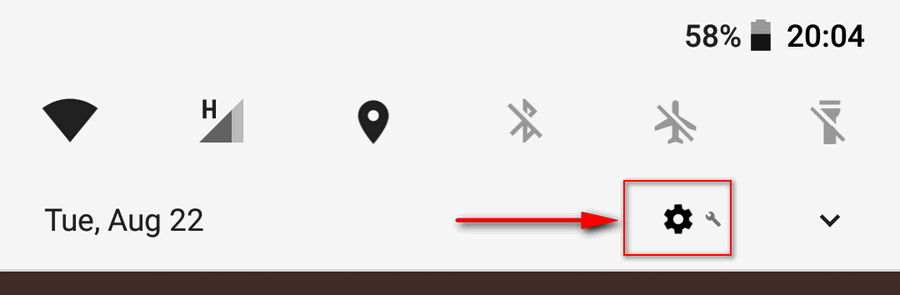
Open Android 8 Settings. I like to tap the gear icon in the notifications shade:
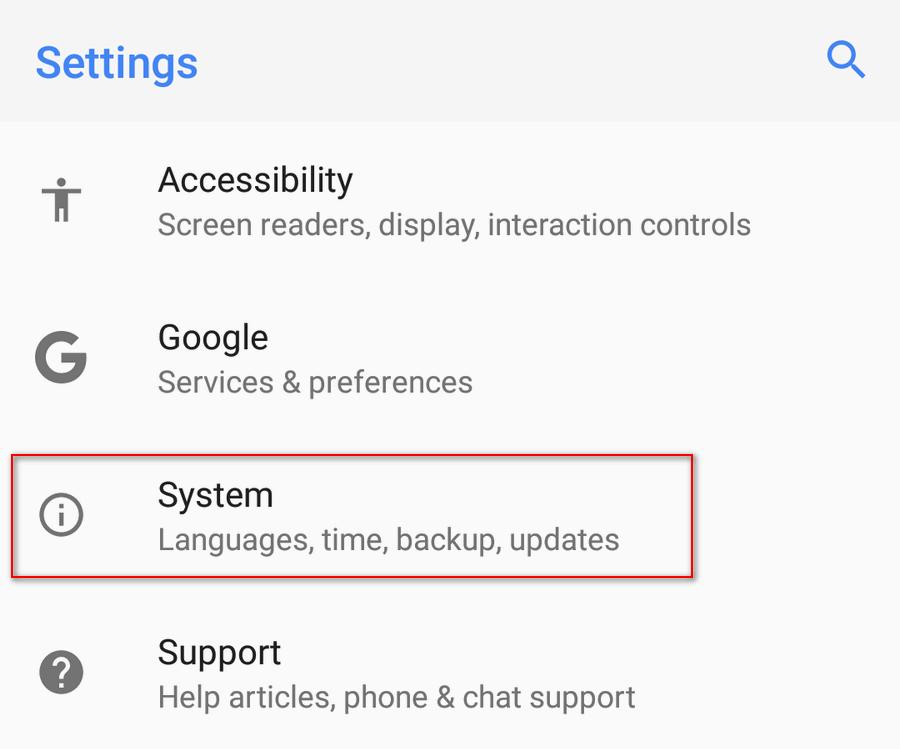
Head to the System section:
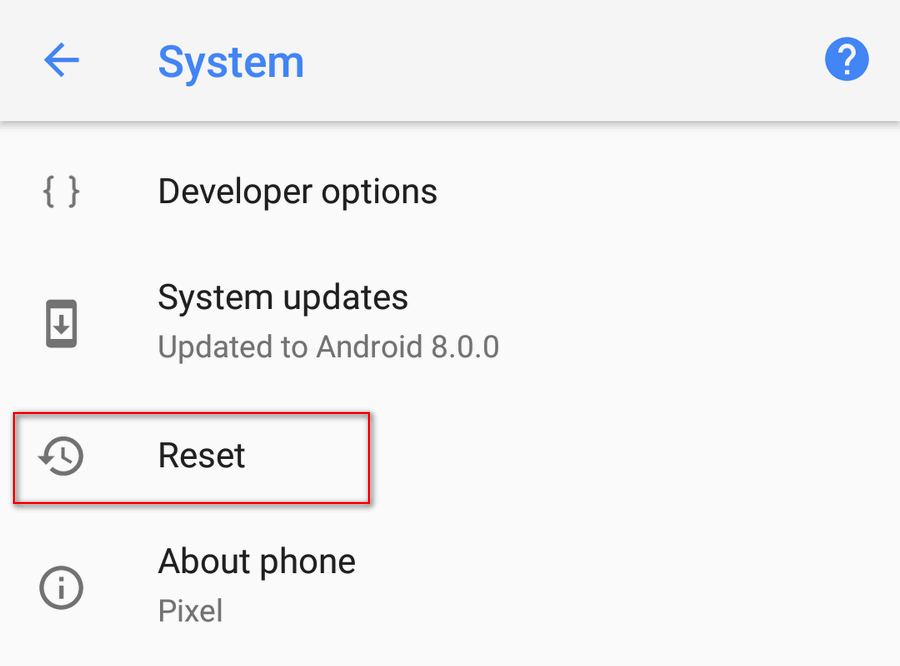
Tap on Reset:
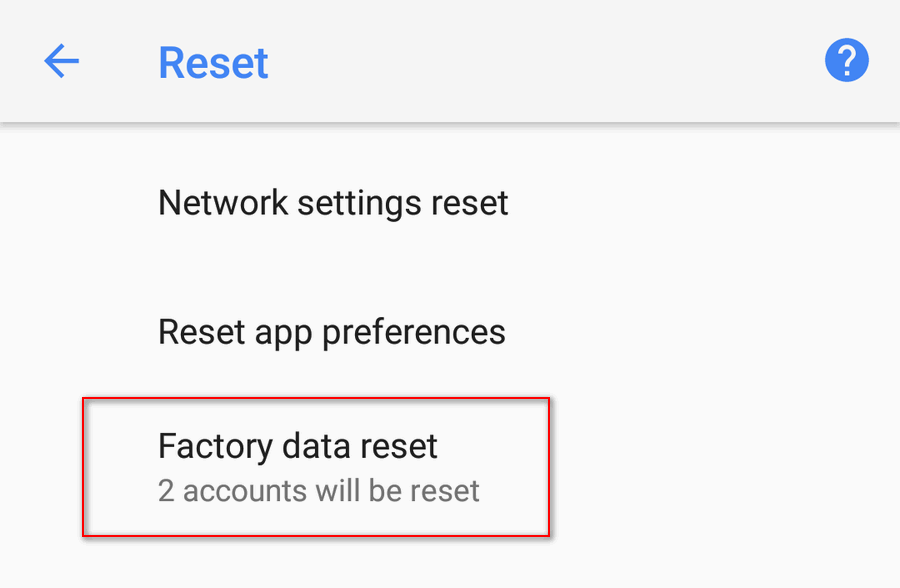
Here select Factory data reset:
Tap RESET PHONE:
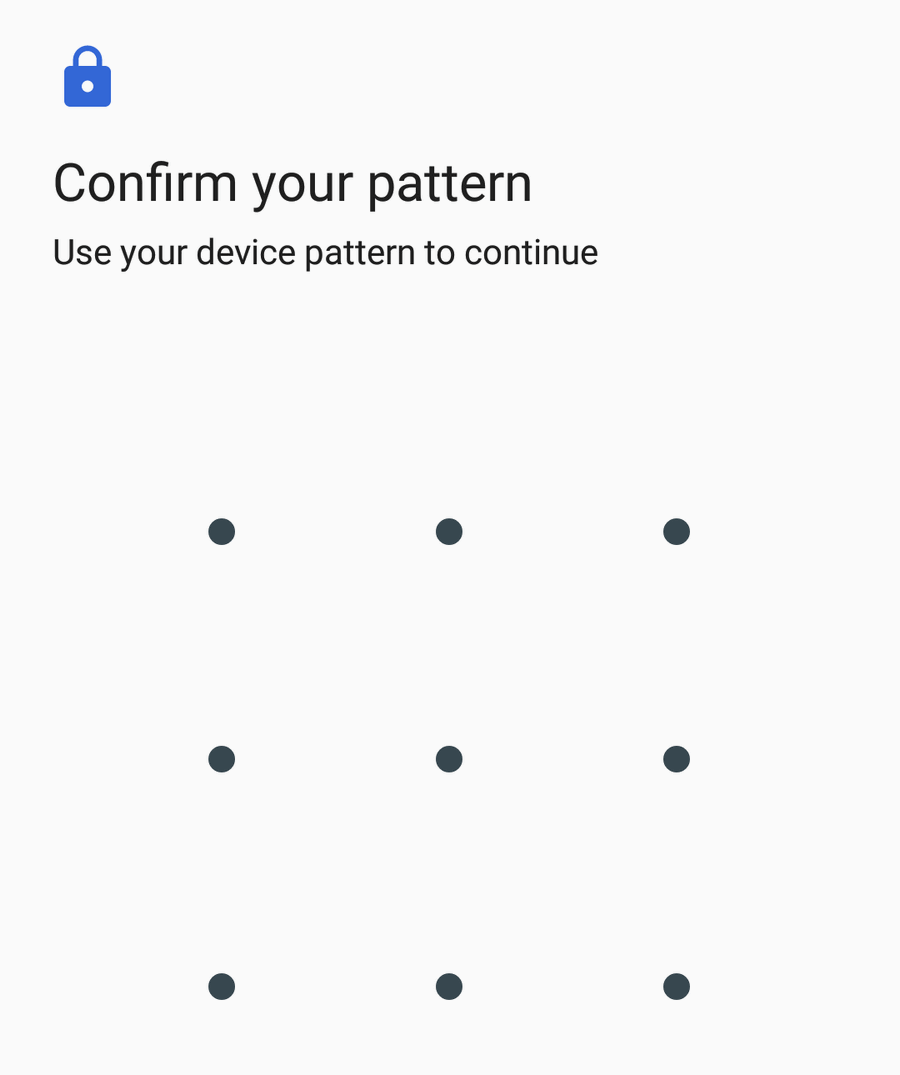
Confirm your pattern:
From Recovery Mode
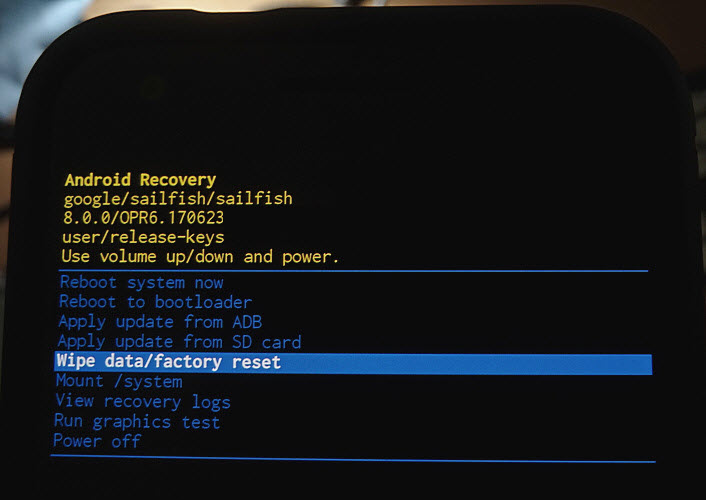
Reboot your phone to the recovery mode using this tutorial.
Select Wipe data/Factory reset:
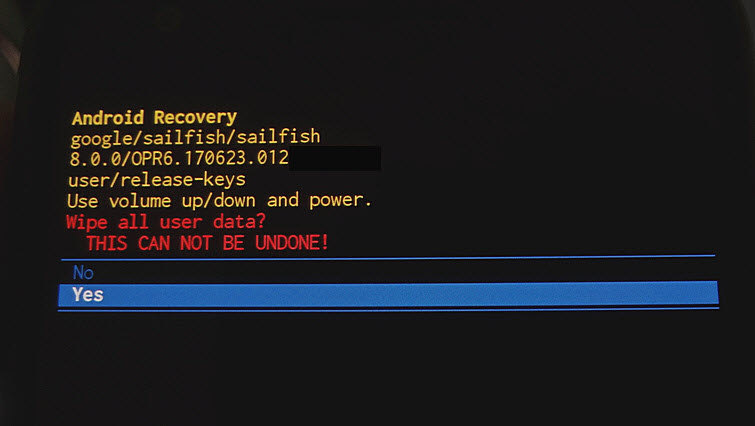
Confirm resetting your Pixel:
That’s it!
Adam Swift
Adam is a real tech maniac. He likes to spend time testing phones, tablets, laptops, as well as any other technical devices, and write practical manuals on their functions. He often sleeps all day, but always works at night. Adam bought his first computer in 1999, being an absolute beginner who never held a computer mouse in his hands. He began to study Windows, constantly experimented and often crashed the operating system. But six months later, he was able to reinstall Windows 98 from a scratch on his own, fix almost any software problem on a PC, he also did hardware upgrades and realized that computers, operating systems and programs are now his biggest passion. In addition, Adam has always been a big lover of phones. With the advent of smartphones with Android OS, he began to pick at them much more than in computers. Now Adam loves to study privacy issues in instant messengers, blocking unwanted calls and other nuances related to privacy and security on the network. You can follow him on Twitter: https://twitter.com/tunecomp

View Comments
factory data reset