Read about how to remove malicious programs and viruses with Malwarebytes. In this article you will find a detailed step-by-step guide on how to download, install a free version of Anti-Malware and remove malware from your PC, smartphone or tablet.
What is Malwarebytes
MalwareBytes is a powerful anti-malware tool for detection and removal malware like trojans, worms, rootkits, rogues, spyware, etc.
Premium version provides a real-time protection including Malicious Website Blocking, Hyper Scan Mode and more.
Free version works as on-demand scanner. It is a great tool for curing the infected computer.
How to Download
How to Install
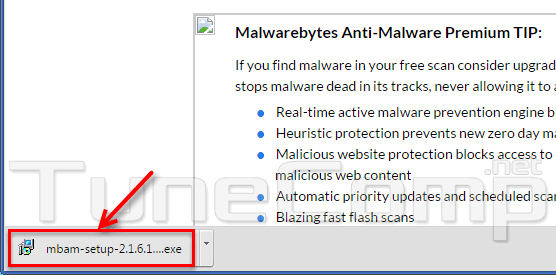
Launch the downloaded installer:
Press Run – Next-Next-Install…
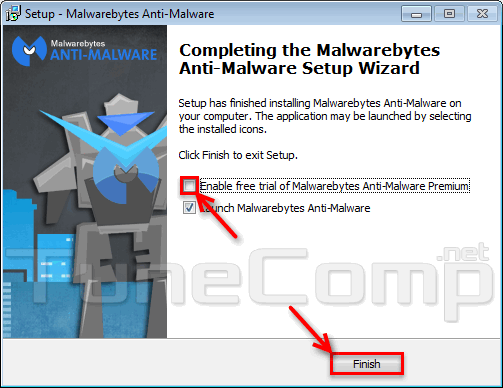
Uncheck the flag Enable free trial .
Press Finish:
How to Remove Malware Using the Utility
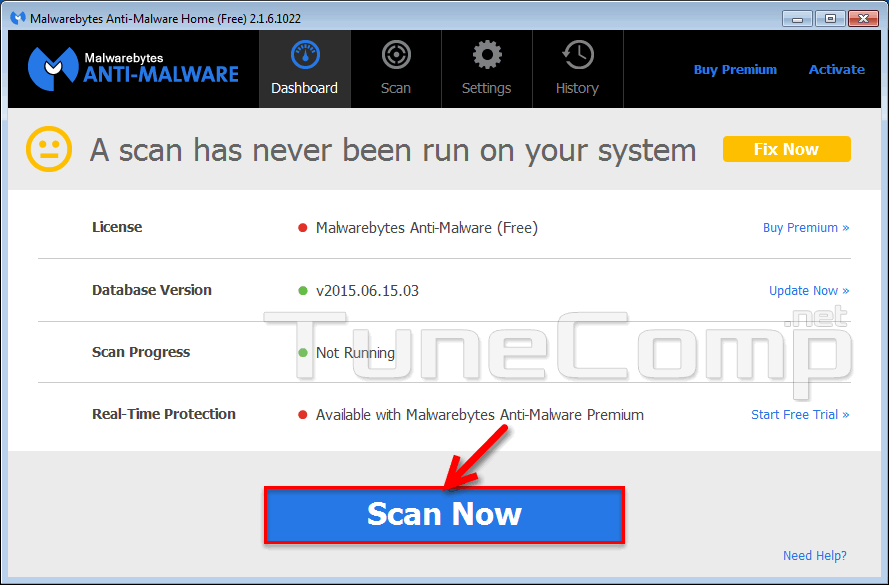
Press Scan Now:
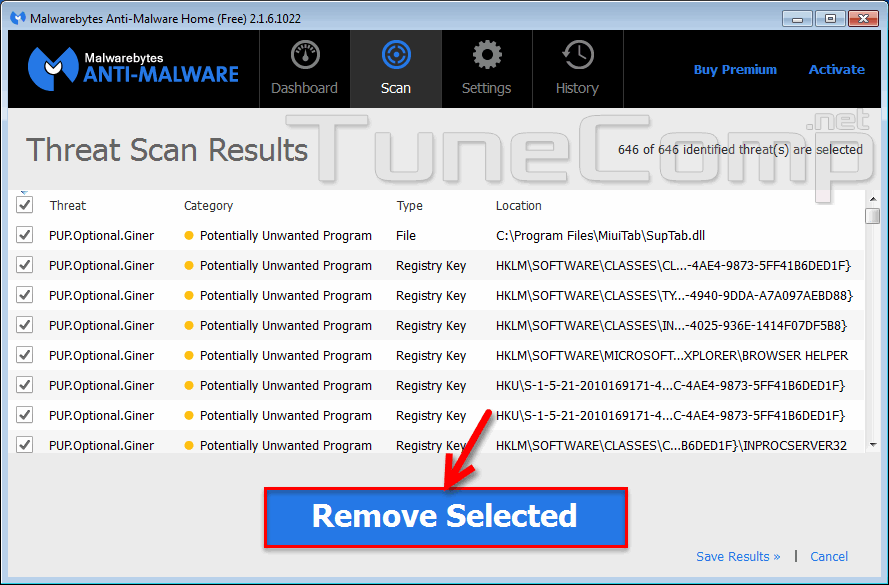
After the scan is finished press Remove Selected:
That’s it
Adam Swift Adam is a real tech maniac. He likes to spend time testing phones, tablets, laptops, as well as any other technical devices, and write practical manuals on their functions. He often sleeps all day, but always works at night. Adam bought his first computer in 1999, being an absolute beginner who never held a computer mouse in his hands. He began to study Windows, constantly experimented and often crashed the operating system. But six months later, he was able to reinstall Windows 98 from a scratch on his own, fix almost any software problem on a PC, he also did hardware upgrades and realized that computers, operating systems and programs are now his biggest passion. In addition, Adam has always been a big lover of phones. With the advent of smartphones with Android OS, he began to pick at them much more than in computers. Now Adam loves to study privacy issues in instant messengers, blocking unwanted calls and other nuances related to privacy and security on the network. You can follow him on Twitter: https://twitter.com/tunecomp