Start button not working – this is a rather popular issue in Windows 10 reported by users on various forums. The problem is very annoying because actually nothing in the Taskbar works properly: programs buttons, Cortana, even the Action Center doesn’t respond when you click its icon. The issue usually emerges after you install updates for Windows 10. But it can also happen by itself – without any visible reasons. Here is how to fix not working Start button, Taskbar and Action Center in Windows 10. We will talk about the 3 methods to solve the problem. The first one is very easy and works in 95% of cases. Besides that we provide extra solutions.
Windows 10 Start Button not working. The easiest method to fix the issue
Press Ctrl+Alt+Del.
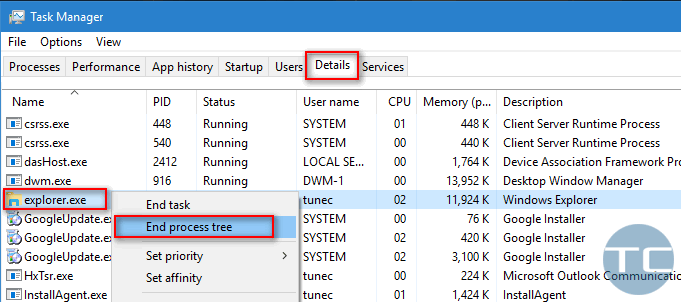
Launch the Task Manager:
Go to Details tab.
Find Explorer.exeprocess.
Right-click on it.
Click End process tree to kill Windows Explorer. The Taskbar will disappear after that:
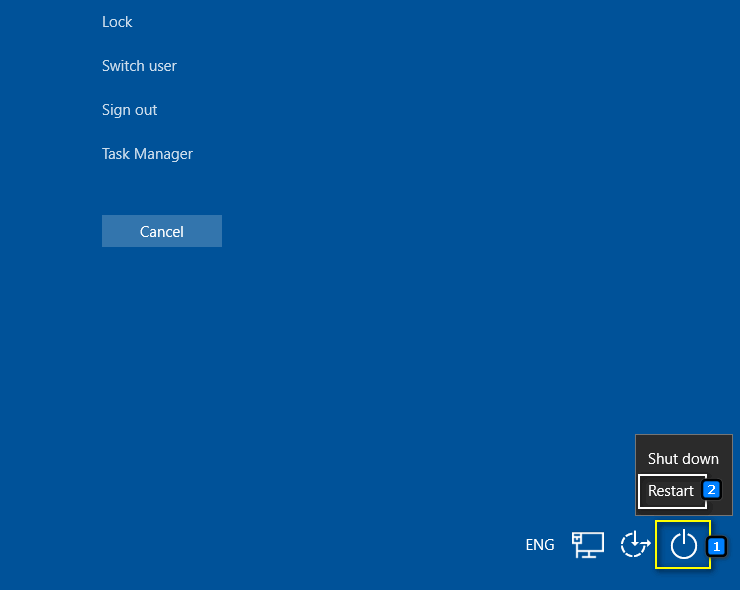
Hit Ctrl+Alt+Del again
Click the Power icon in right bottom corner of the screen:
Select Restart:
Windows 10 Start Button not working. Two extra methods to fix the issue
You need to roll back your system and then reinstall updates. And here you have two variants.
System restore
Go to System (Hold Windows button and hit Pause/Breake).
Click System protection.
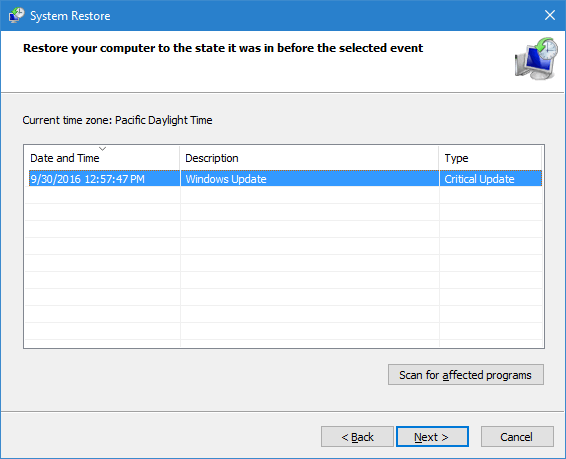
Click System Restore… to check whether you have restore points or not.
If you have restore points select one and roll back your system:
After system reboots click on Action Center > All settings:
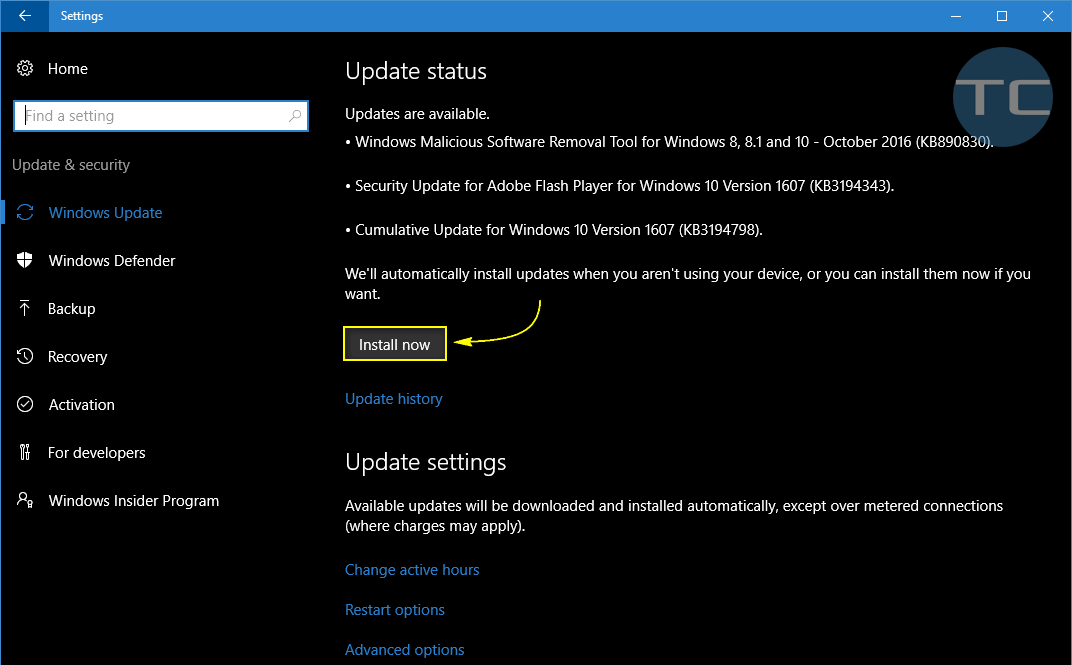
Select Updates and security and click Check for updates:
Agree to install all available updates and reboot again.
Reboot your system again by clicking Restart Now: There is a high probability that you will have your Start button, Action Center and Taskbar in general working like a charm.
Hopefully you will find the solution to fix not working Start Button, Taskbar and Action Center in your Windows 10.
Adam Swift
Adam is a real tech maniac. He likes to spend time testing phones, tablets, laptops, as well as any other technical devices, and write practical manuals on their functions. He often sleeps all day, but always works at night. Adam bought his first computer in 1999, being an absolute beginner who never held a computer mouse in his hands. He began to study Windows, constantly experimented and often crashed the operating system. But six months later, he was able to reinstall Windows 98 from a scratch on his own, fix almost any software problem on a PC, he also did hardware upgrades and realized that computers, operating systems and programs are now his biggest passion. In addition, Adam has always been a big lover of phones. With the advent of smartphones with Android OS, he began to pick at them much more than in computers. Now Adam loves to study privacy issues in instant messengers, blocking unwanted calls and other nuances related to privacy and security on the network. You can follow him on Twitter: https://twitter.com/tunecomp