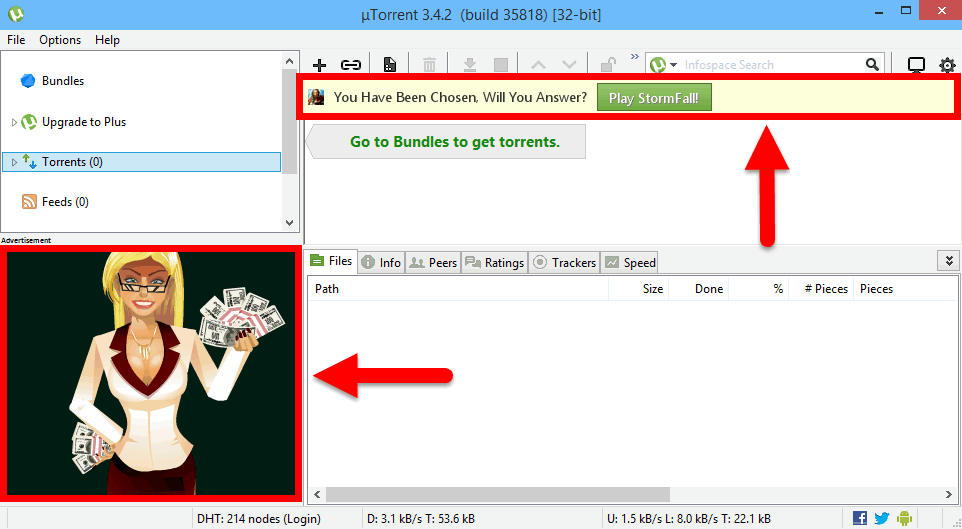
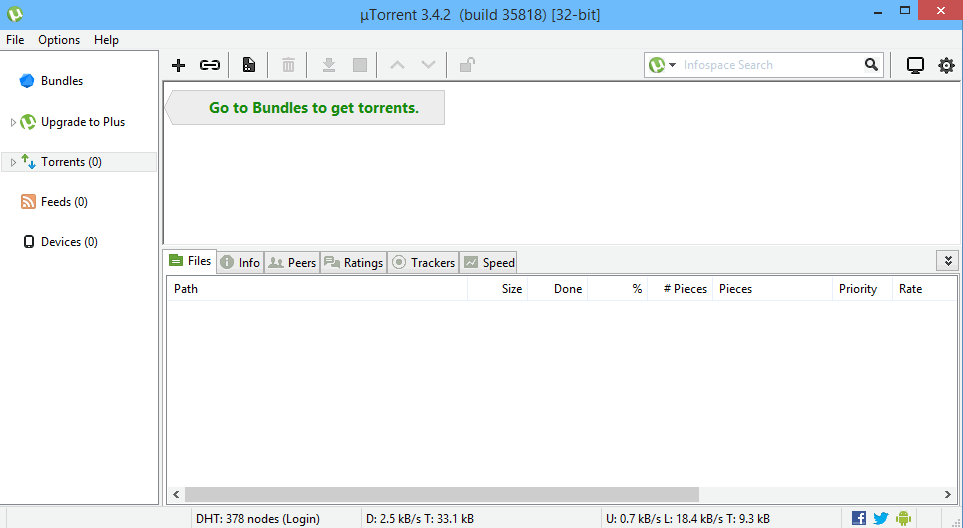
In this guide we will tell you how to remove ads from free uTorrent client without using third-party software or an upgrade:
Removing ads
Launch uTorrent and perform the following steps:
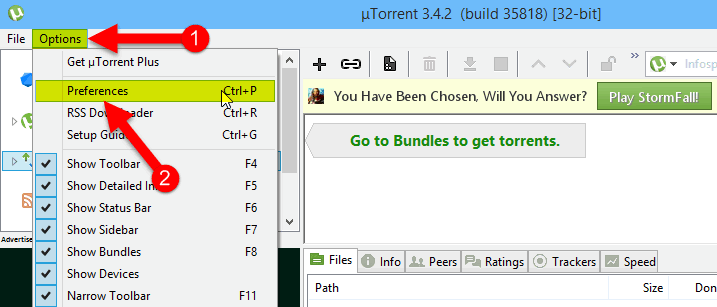
1. Click on Options.
2. Select Preferences:
3. Click on Advanced section.
4. Type ‘sponsor’ in the Filter field.
5. Select the item ‘offers.sponsored_torrent_offer_enabled’.
6. Switch the selector to False position:
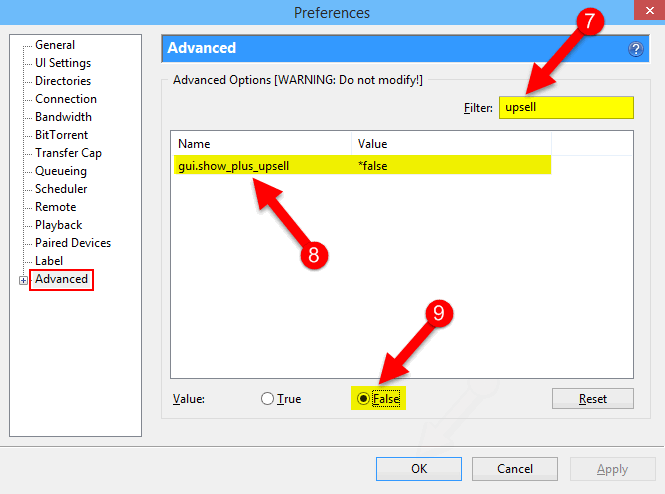
7. Type ‘upsell’ in the Filter field.
8. Select the item ‘gui.show_plus_upsell’.
9. Switch the selector to False position:
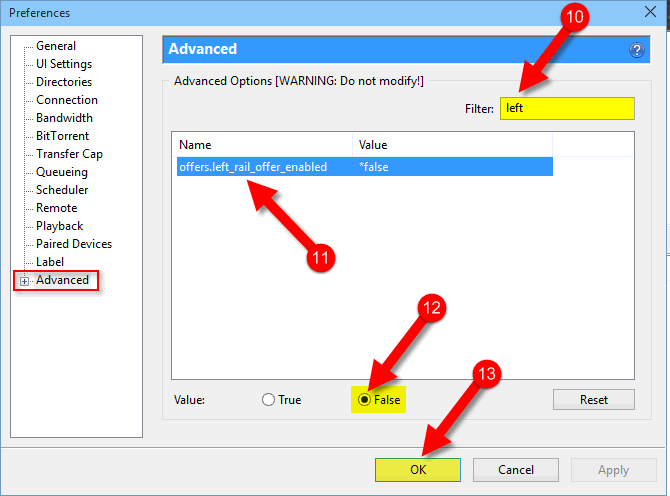
10. Type ‘left‘ in the Filter field.
11. Select the item ‘offers.left_rail_offer_enabled‘.
12. Switch the selector to False position.
13. Click on OK to save settings:
Checking the result
Restart the program!
No ads any more:
Adam Swift Adam is a real tech maniac. He likes to spend time testing phones, tablets, laptops, as well as any other technical devices, and write practical manuals on their functions. He often sleeps all day, but always works at night. Adam bought his first computer in 1999, being an absolute beginner who never held a computer mouse in his hands. He began to study Windows, constantly experimented and often crashed the operating system. But six months later, he was able to reinstall Windows 98 from a scratch on his own, fix almost any software problem on a PC, he also did hardware upgrades and realized that computers, operating systems and programs are now his biggest passion. In addition, Adam has always been a big lover of phones. With the advent of smartphones with Android OS, he began to pick at them much more than in computers. Now Adam loves to study privacy issues in instant messengers, blocking unwanted calls and other nuances related to privacy and security on the network. You can follow him on Twitter: https://twitter.com/tunecomp