Contents
AHCI (Advanced Host Controller Interface) mode is a communication mode that serves to connect storage devices using SATA interface with the support of NCQ and hot plug features.
On practice this mode often provides faster read/write speeds while using HDDs and especially SSDs.
Quite often users find that they have AHCI disabled and try to enable the mode in UEFI (BIOS) but get the BlueScreen issue with the code Inaccessible_boot_device.
Below we will explain how to check if AHCI mode is enabled and how to safely enable it without reinstalling Windows 10 or 7 and avoid BSOD.
Don’t think that AHCI mode is useless for you. I know why you think it is – because someday you tried to enable it when you were using a classic HDD (Hard Disk Drive) and AHCI did not boost the speed.
But it works for SSD!
Even if you have an old SATA 2 controller you will feel the difference in read and write speeds when you enable AHCI mode. Look at the SSD performance comparison on my old HP G62 from 2011:
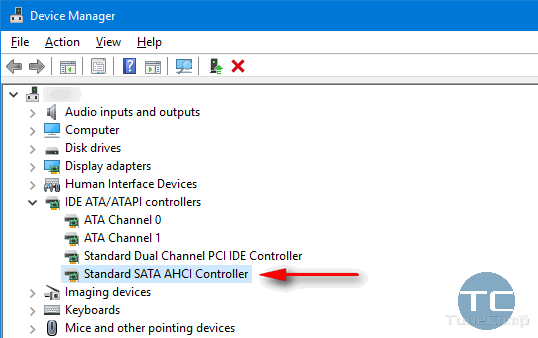
If you see AHCI Controller in the list, you have it enabled:
If you see only ATA and IDE words you are likely to have AHCI feature disabled on your machine!
If you have already installed and set up your Windows 10 with your SATA controller running IDE compatible mode don’t be upset! You can switch to AHCI in a few steps.
To be on the safe side, it is advised to back up your Windows 10 using AOMEI backupper before you start tweaking the registry.
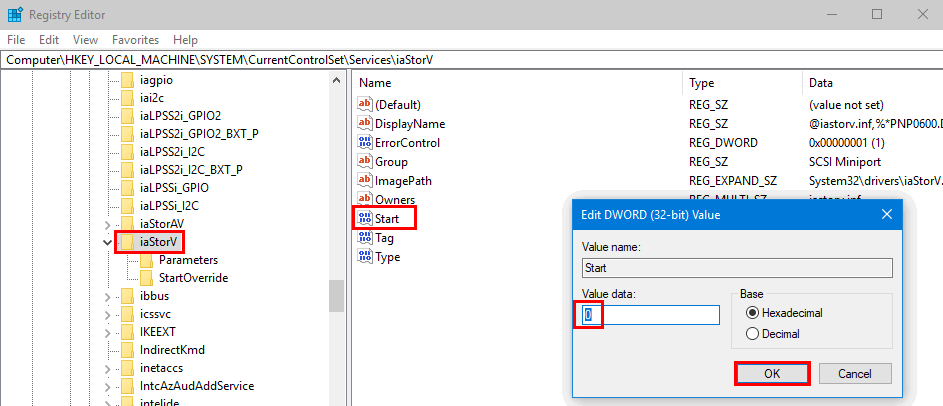
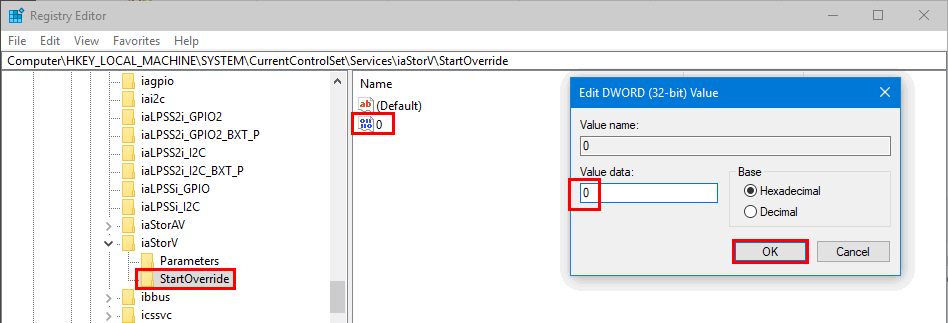
Launch the registry editor (Win+R, type regedit, press Enter) and perform the following actions:
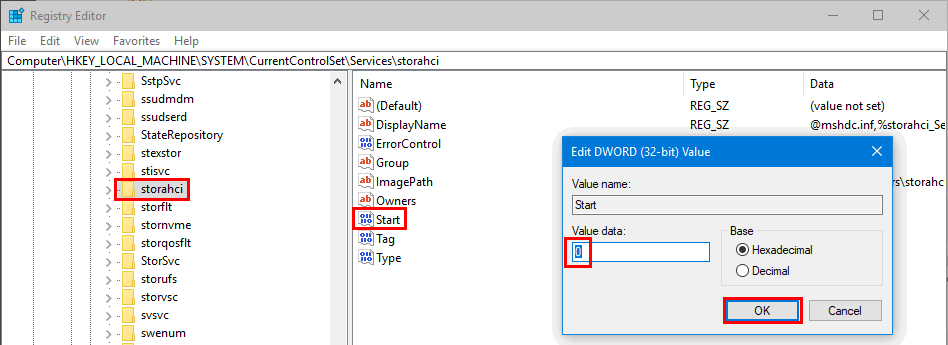
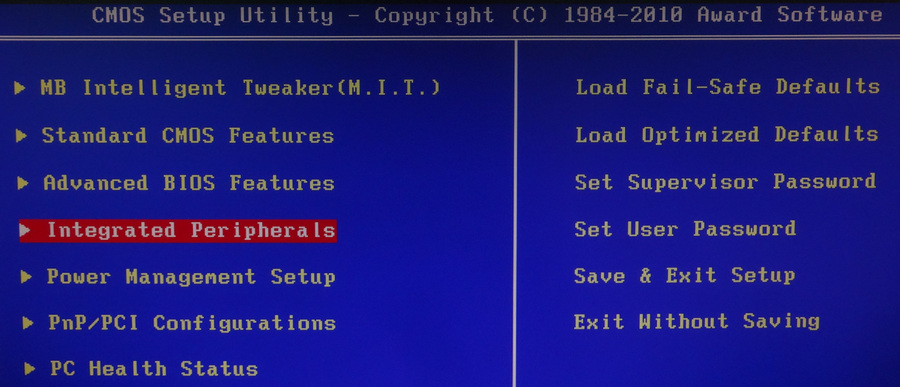
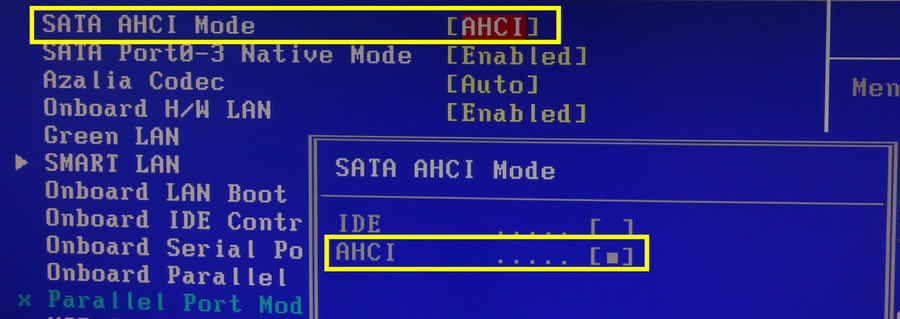
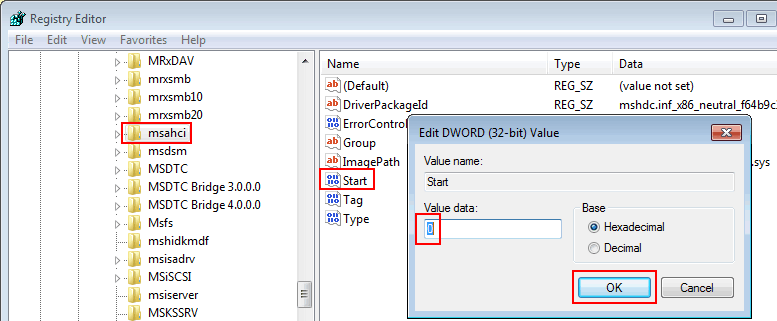
HKEY_LOCAL_MACHINE\SYSTEM\CurrentControlSet\Services\iaStorV and set the value named Start to 0: HKEY_LOCAL_MACHINE\SYSTEM\CurrentControlSet\Services\iaStorAV\StartOverride and set 0 to 0: HKEY_LOCAL_MACHINE\SYSTEM\CurrentControlSet\Services\storahci\ and set Start to 0: HKEY_LOCAL_MACHINE\SYSTEM\CurrentControlSet\Services\storahci\StartOverride\ and set 0 to 0: SATA AHCI Mode and switch it to AHCI: HKEY_LOCAL_MACHINE\SYSTEM\CurrentControlSet\services\msahci
Start value to 0:
This website uses cookies.
Read More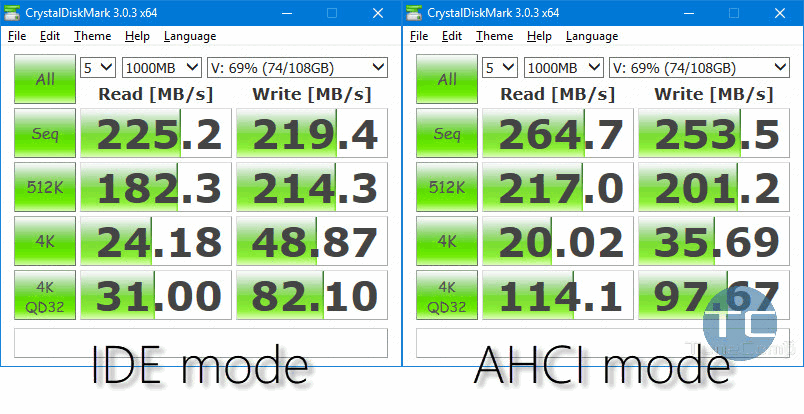


View Comments
Hello,
Thanks for your article.
On my old ASUS K70iC, I didn't see the "Standard SATA AHCI Controller" in Device Manager.
So I went into the registry. But I only see iaStorV and iaStorAVC, no iaStorAV.
What can I do in this case?
Thanks in advance for your help !
Pierre