Prevent Google Pixel From Turning On The Screen When You Pick It Up In Android 8
Contents
Google Pixel has a nice feature called “lift to check phone” which is activated by default. It allows you to check the notification about apps updates, received emails, missed calls and other stuff as soon as you take phone in your hands (without any tap on the screen or key press).
But some people don’t like the feature. They ask questions like “why does my phone turn on the screen randomly?” or “how do I stop my Pixel from waking when I pick it up?” on Internet forums. So here is how to disable “lift to check phone” (a.k.a. “raise to wake”) feature on Google Pixel and Pixel XL under Android 7 and 8 and stop your phone from turning on the display when you pick it up or move.
Disable “Lift to check” in Android 8 Oreo and prevent Google Pixel from turning on the screen when you take it
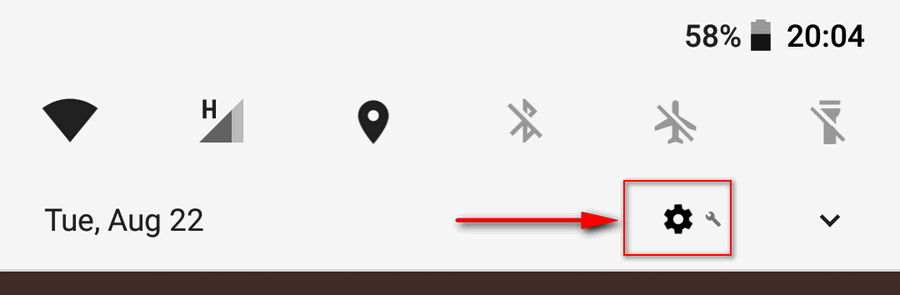
Open Settings:
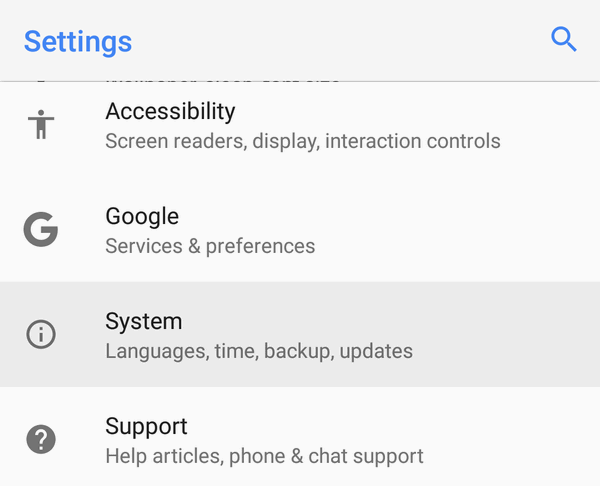
Head to the System section:
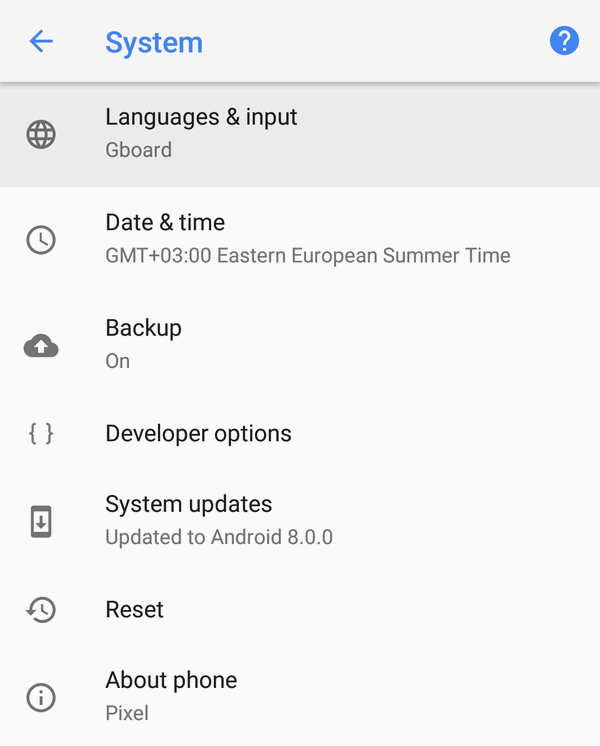
Select Languages & input:
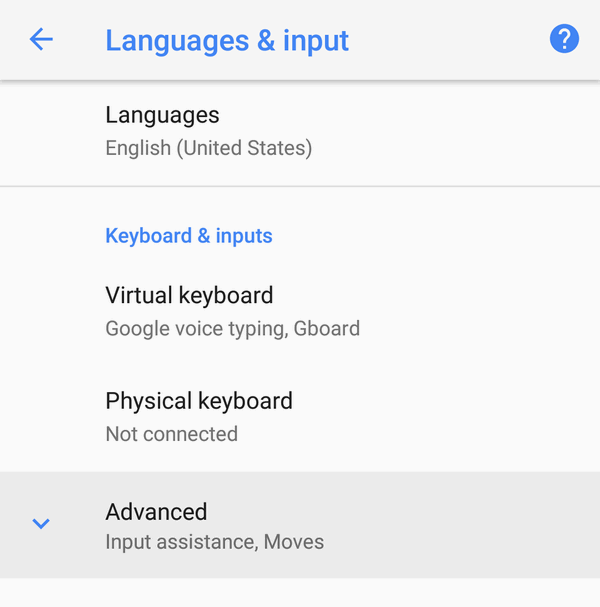
Tap on Advanced to expand additional settings:
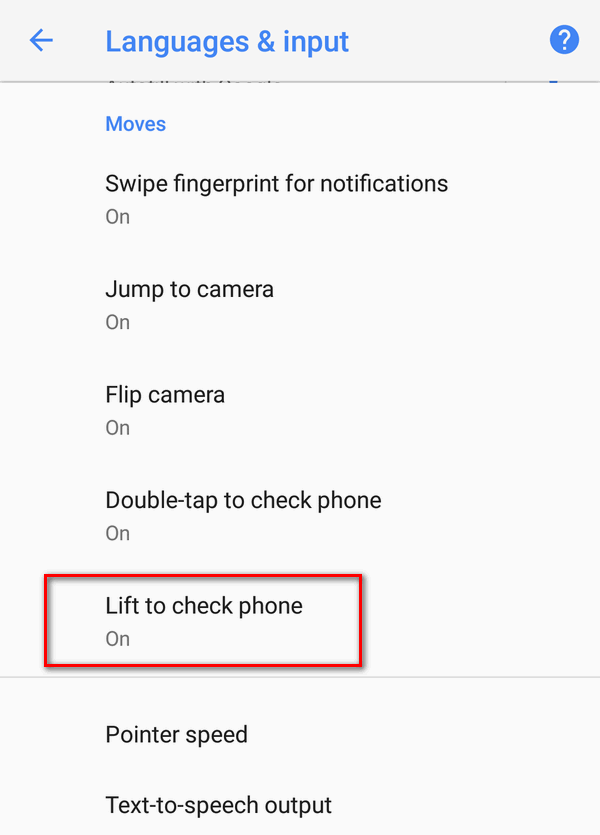
Activate or deactivate Lift to check phone:
Change “Lift To Check” In Android 7 Nougat
Open Settings:
Scroll down to the Device section and tap on Moves:
Disable Lift to check phone: That’s it. Your Google Pixel won’t light up the screen when you pick it up.
This is how it goes.
Adam Swift
Adam is a real tech maniac. He likes to spend time testing phones, tablets, laptops, as well as any other technical devices, and write practical manuals on their functions. He often sleeps all day, but always works at night. Adam bought his first computer in 1999, being an absolute beginner who never held a computer mouse in his hands. He began to study Windows, constantly experimented and often crashed the operating system. But six months later, he was able to reinstall Windows 98 from a scratch on his own, fix almost any software problem on a PC, he also did hardware upgrades and realized that computers, operating systems and programs are now his biggest passion. In addition, Adam has always been a big lover of phones. With the advent of smartphones with Android OS, he began to pick at them much more than in computers. Now Adam loves to study privacy issues in instant messengers, blocking unwanted calls and other nuances related to privacy and security on the network. You can follow him on Twitter: https://twitter.com/tunecomp