How to Add Another Input Language on Android or Remove Keyboard Language
Contents
When you initialize your phone during the first startup you select the system language (locale for UI). Android 8 and 7 automatically set it as your input language as well. For English-speaking countries it is usually enough to use default settings and have the single input language. But you might also need to have several input methods.
For instance, you might want to communicate with your friends using German while you prefer using English for your work. Here is how to turn off the default settings and manually add another input language (or even several) to your current keyboard on Android 9, 8 and 7. The guide works for Android 6 Marshmallow as well.
Screenshots taken on Google Pixel running Oreo 8.0.
On Android 9 things are pretty much equal, so it’s rather useless to show screenshots.
Open “Settings”:
Scroll down and select “System”:
Tap “Languages & input”:
Select “Virtual keyboard”:
Select your active keyboard. In my case it is “Gboard”:
Tap “Add keyboard”:
Select the language you need to add:
Select layout, decide whether you want to enable multilingual typing and finally tap “Add”:
Select which keyboard language you want to be primary by holding and dragging:
Done!
How to Remove Keyboard Language on Android 8 and 9
Navigate to the language list using the steps above.
Tap the rubbish can icon:
Select the language you are going to remove.
Tap the same icon once again:
How to add another input language on Samsung Galaxy Devices Running Android 8
Go to Settings:
Select General Management:
Here tap Language and Input:
Select On-screen keyboard:
Now you should select your active keyboard. If you use default one select Samsung keyboard:
Tap Languages and types:
Tap on the Manage input languages button:
Enable the language that you want to add to the keyboard. In our example we add German (Deutsch): Done! Now you can type text in the language you added:
How to add another input language on Android 7 Nougat, Android 6 Marshmallow, LineageOS 13
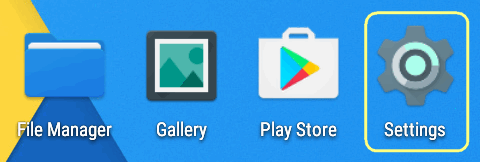
Open Settings:
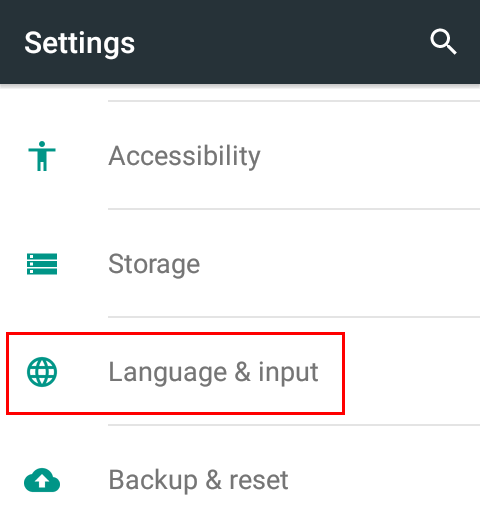
Scroll down to the System section.
Find Language and input and tap it:
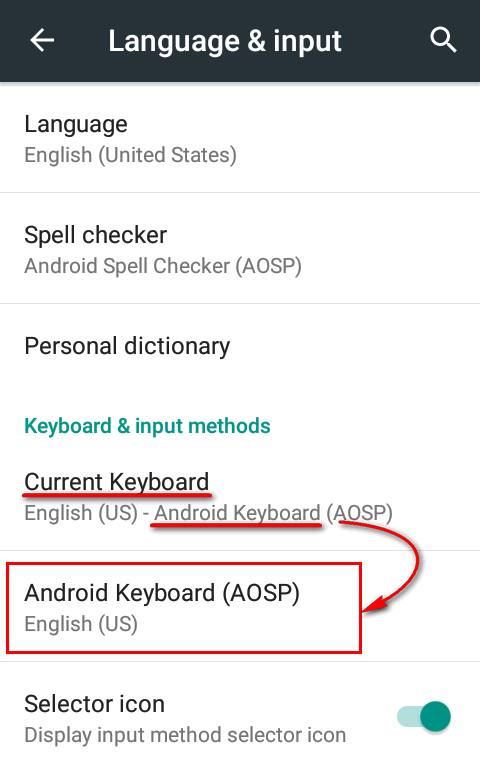
Tap on your current keyboard name to open its settings. It can be Android keyboard or Samsung keyboard:
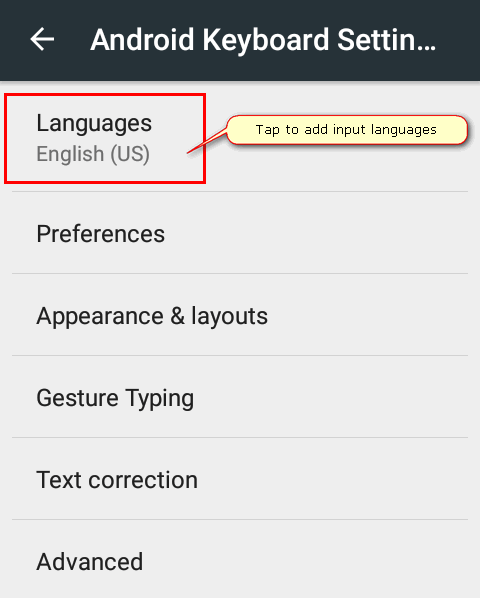
Tap on Languages:
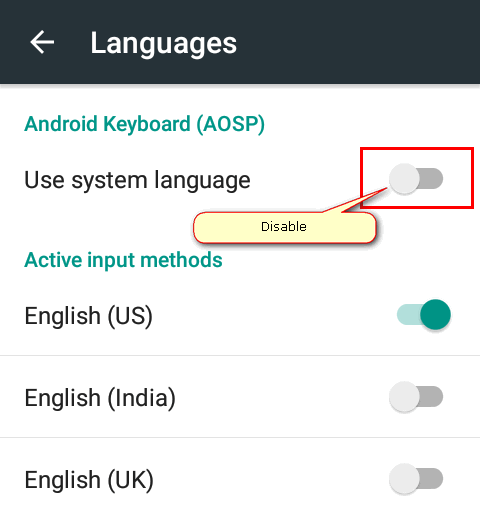
Disable Use system language that is set by default (this setting makes you use a single input method for your keyboard – your system UI language):
Scroll down the Active input methods list and enable languages that you need to use as your input methods. Perhaps, we would like to add German:
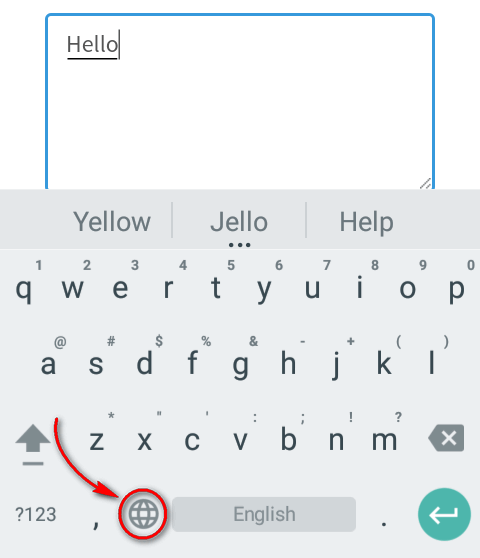
That’s it. Now you can switch input methods on your keyboard. The way how to do this depends on a particular keyboard. Here is how to change language on “Android keyboard”:
Wrapping Up
Of course, the Android OS is constantly developing and altering. That’s why you can face some minor changes on your particular phone. I mean that some settings may be called a little bit different or have new look. But the main steps meet the reality.
If you have questions, write them in the comments section. Let us know if everything was clear to understanding. Good luck!
Adam Swift
Adam is a real tech maniac. He likes to spend time testing phones, tablets, laptops, as well as any other technical devices, and write practical manuals on their functions. He often sleeps all day, but always works at night. Adam bought his first computer in 1999, being an absolute beginner who never held a computer mouse in his hands. He began to study Windows, constantly experimented and often crashed the operating system. But six months later, he was able to reinstall Windows 98 from a scratch on his own, fix almost any software problem on a PC, he also did hardware upgrades and realized that computers, operating systems and programs are now his biggest passion. In addition, Adam has always been a big lover of phones. With the advent of smartphones with Android OS, he began to pick at them much more than in computers. Now Adam loves to study privacy issues in instant messengers, blocking unwanted calls and other nuances related to privacy and security on the network. You can follow him on Twitter: https://twitter.com/tunecomp

View Comments
My phone only shows 2 languages, English and French.
How can I add more?
In Android 6, Middle Eastern input keyboards for Arabic/Farsi was provided by default. IN Android 7 they are totally gone. Any idea why?
Thanks for this info.