Nowadays wireless networks are almost at every home. And I’m sure you hear people around talking about wireless equipment from time to time.
A lot of network devices look very much alike – a box with two or three antennas. So let us find out what is the difference between such frequently used concepts as “Wireless Router” and “Access Point”.
What is the difference
Router is a device designed for routing packets between different networks. A typical consumer router is a Wireless one and has two network interfaces: LAN (including WLAN) and WAN. It serves to connect a local area network (LAN) to a wide area network – Internet (WAN).
As a rule, typical home routers provide several functions at once:
- Router itself
- Access point
- Ethernet switch
- DNS server
- DHCP server
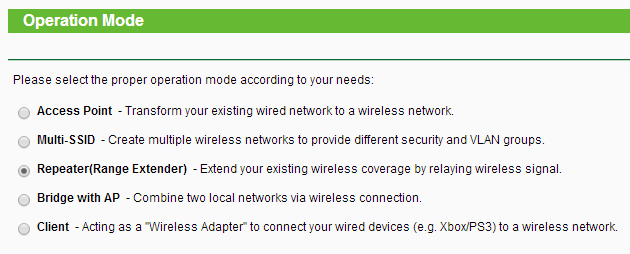
Access Point (AP) does not route anything. It just converts an existing wired network (LAN) into a wireless one (WLAN). Access Point is a common name for the network equipment class. Very often modern consumer APs are able to function as:
- Access Point
- AP+Bridge
- Repeater
- Wireless client
- Multi-SSID
Summary
- Wireless router = Router + AP.
- AP cannot be used as a router.
- Every wireless router can be used as an AP.
We hope, we made this issue a bit more clear to you and now you can really tell the difference. If something remains unclear, feel free to ask questions in the comments below.
Adam Swift Adam is a real tech maniac. He likes to spend time testing phones, tablets, laptops, as well as any other technical devices, and write practical manuals on their functions. He often sleeps all day, but always works at night. Adam bought his first computer in 1999, being an absolute beginner who never held a computer mouse in his hands. He began to study Windows, constantly experimented and often crashed the operating system. But six months later, he was able to reinstall Windows 98 from a scratch on his own, fix almost any software problem on a PC, he also did hardware upgrades and realized that computers, operating systems and programs are now his biggest passion. In addition, Adam has always been a big lover of phones. With the advent of smartphones with Android OS, he began to pick at them much more than in computers. Now Adam loves to study privacy issues in instant messengers, blocking unwanted calls and other nuances related to privacy and security on the network. You can follow him on Twitter: https://twitter.com/tunecomp