Download An APK File Of Any Android App From Google Play
Contents
From this article you will learn about several websites where you can download any app as an .apk file for free. You may need an .apk file if you want to run some app on Android emulator, you are using LineageOS (former CyanogenMod) without Google software or, perhaps, install in onto an ordinary Android device without Google Account.
Warning! We are not responsible for any of the websites mentioned below. So be cautious when using downloaded packages. We recommend that you check all APK files for malware before installing them just to be on the safe side.
Option #1. Download APK file of any app using ApkPure.com
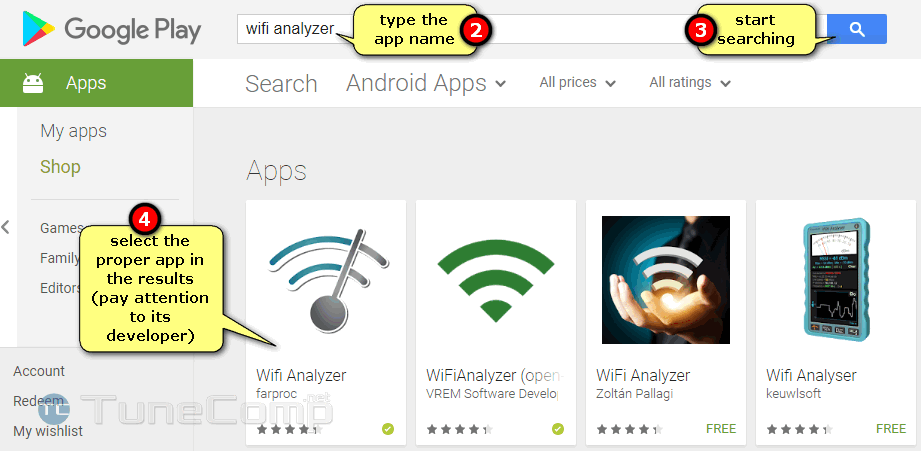
Select the proper app in the search results to open its web page in Google Play Store:
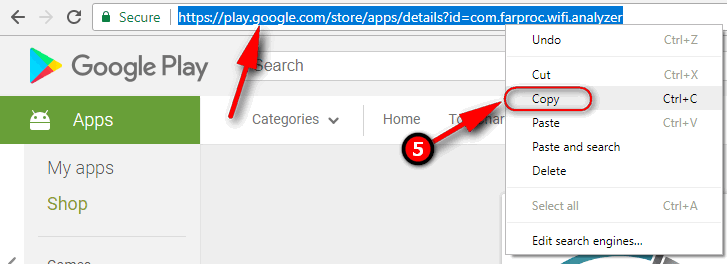
Copy its URL:
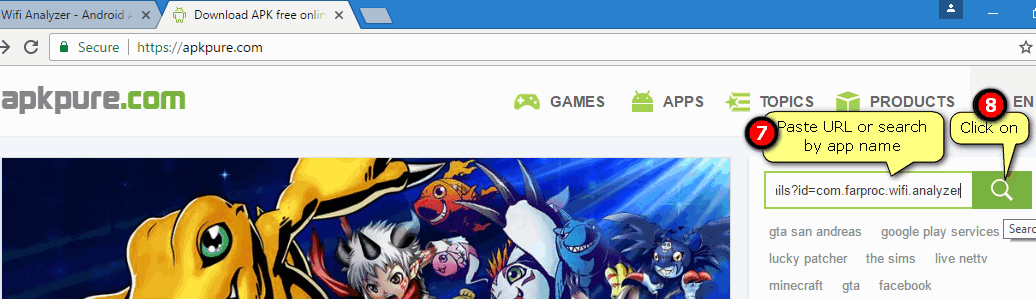
Go to https://apkpure.com.
Paste the URL into the field.
Click on the “Search” icon:
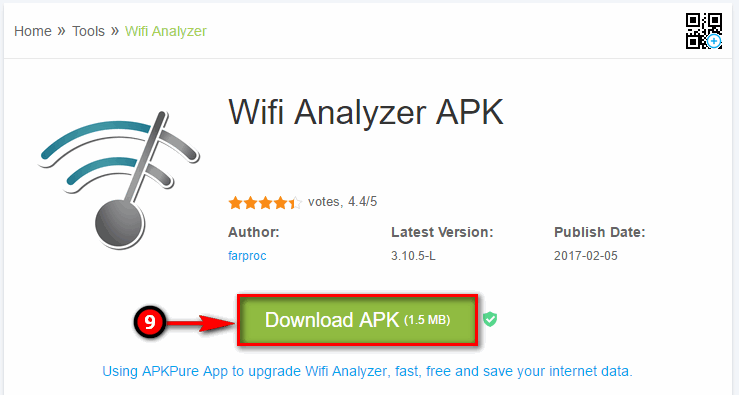
Click “Download”: Now you have the requested app in .apk format downloaded:
How to install APK on your Android device
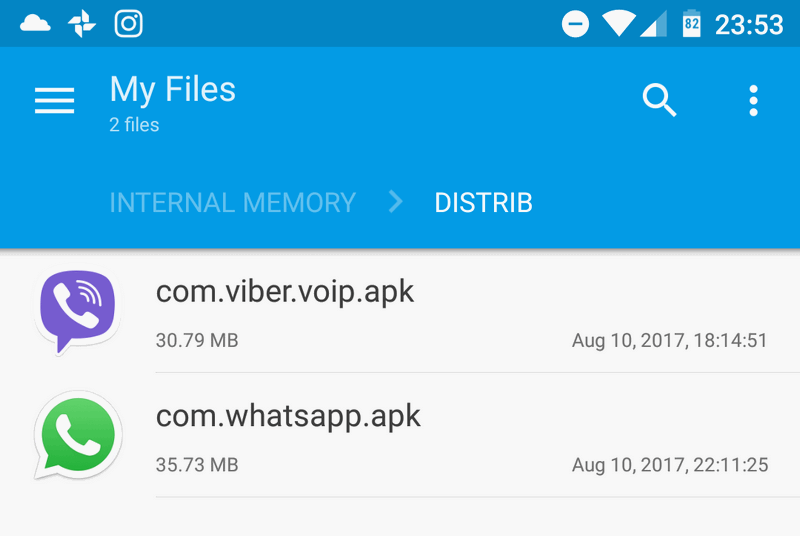
Copy an APK file to your phone’s memory. It may be rather handy to create a folder like “distrib” for storing your APK files:
Take your Android device, find the APK file you have just copied to the memory and open it.
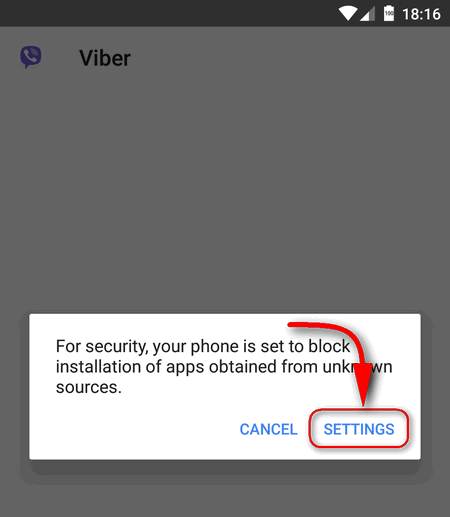
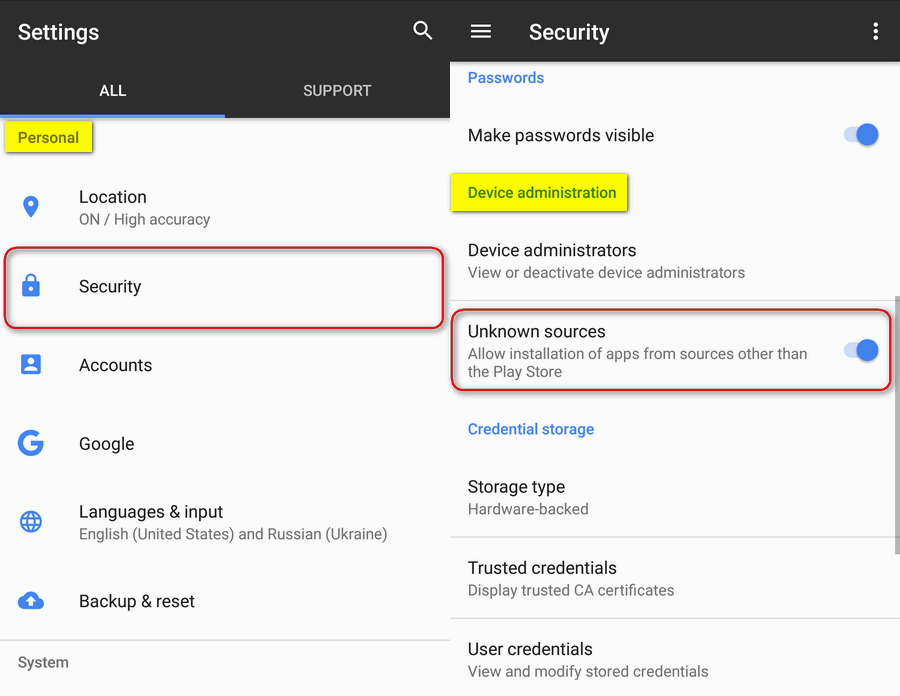
If you see the message “For security, your phone is set to block installation of apps obtained from unknown sources”, click on “Settings” and allow to install apps from unknown sources: By the way, you can manually navigate to “Settings” > “Security” and enable “Unknown sources”:
Allow installation of apps from unknown sources
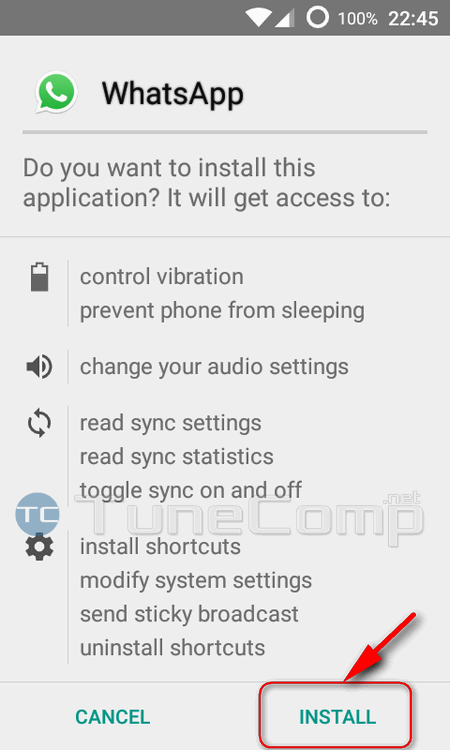
Now all you need to do is tap “Next” and “Install”:
Other services to download apk files of apps
Option 2: Evozi.com
Go to: https://apps.evozi.com/apk-downloader
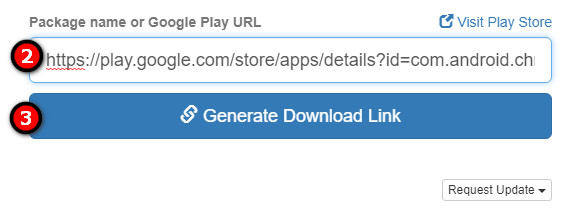
Paste URL into the field.
Click “Generate download link”:
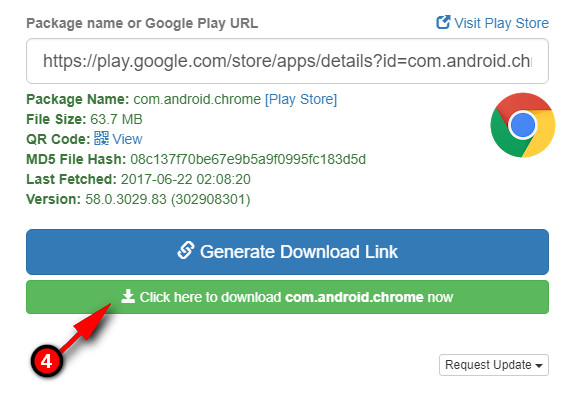
Click on “Click here to download [app name] now”:
Option 3: Apk-dl.com
Go to: https://apk-dl.com.
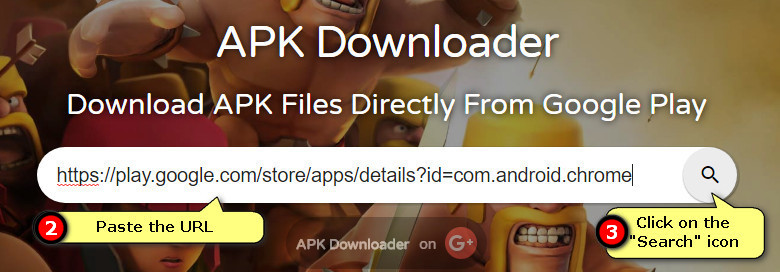
Paste the URL of the app you need to get:
Click
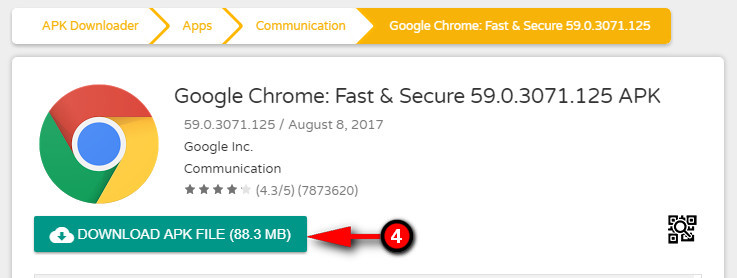
Click “Download APK file”:
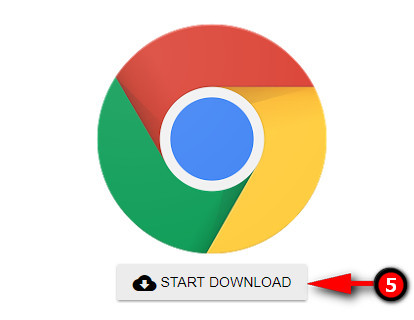
Click “Start download”:
Afterword
Different websites may provide different version of an app. Consequently, the downloaded APK files may be of different sizes.
Do not forget that apps downloaded from third-party sources can in some cases be fake or bundled with unwanted of malicious software without any notice.
Adam Swift
Adam is a real tech maniac. He likes to spend time testing phones, tablets, laptops, as well as any other technical devices, and write practical manuals on their functions. He often sleeps all day, but always works at night. Adam bought his first computer in 1999, being an absolute beginner who never held a computer mouse in his hands. He began to study Windows, constantly experimented and often crashed the operating system. But six months later, he was able to reinstall Windows 98 from a scratch on his own, fix almost any software problem on a PC, he also did hardware upgrades and realized that computers, operating systems and programs are now his biggest passion. In addition, Adam has always been a big lover of phones. With the advent of smartphones with Android OS, he began to pick at them much more than in computers. Now Adam loves to study privacy issues in instant messengers, blocking unwanted calls and other nuances related to privacy and security on the network. You can follow him on Twitter: https://twitter.com/tunecomp
View Comments
have used option 1 (download apk files from apkpure, apknite and apkmirror - they're some most popular). Also, installed their downloader extension.